AI Porn Movies: What Actually Works in 2026
The Problem With Every 'AI Porn Movie' You Find by Searching
Type "ai porn movies" into Google and you'll land on a dozen sites promising the same thing: a slider, a text box, and a clip that forgets you the second it renders.
That's the whole category right now — stock NSFW video generators ranked by render speed, clip farms where every thumbnail is a new stranger. You describe a scene, a face appears, the face does the thing, and then she's gone. Search again and you get a different woman in a different room with zero connection to the last one. It's kinda hollow, and the sites know it; there's nothing to come back to.
Is this actually a full movie or a short clip? A clip. Every tool on the market, GoLove included, produces seconds of motion, not a feature-length film. If you clicked expecting an eighty-minute story with a plot, nobody delivers that in 2026, and the word "movie" in that search is doing a lot of wishful work.
What people want when they type it is simpler: a scene with someone specific. That's the part the clip farms can't do — and the part worth building instead.
ASK HER FOR PHOTOS
She sends them right there in the chat.
Where GoLove's Video Generator Actually Changes Things
GoLove's Video generator is the first place that search stops feeling phoned-in, because the clip is tied to a character you already know from chat rather than a face the server invented on the spot.
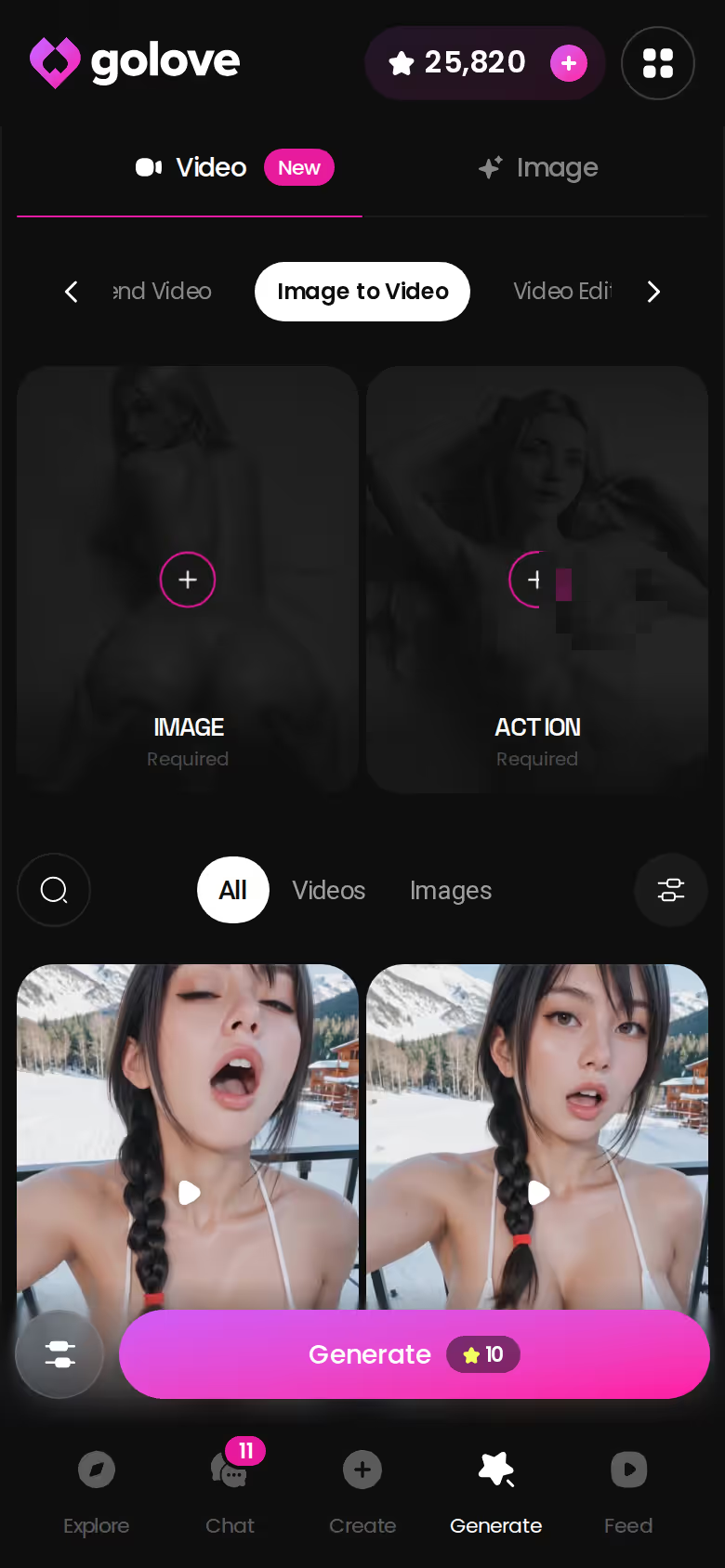
Mechanics first. The Generate page has Video and Image tabs, both per-character (swap the avatar top-right). A video isn't a prompt you type; it's assembled from preset cards. Pick an action (Twerk, Hard Doggy Style, Instant Undress, Shibari Swing — 76 realistic video modes, 147 across the anime and trans sets), add a Clothes card, a Background card, hit Generate. Same flow whether it's a roster character or one you built in /create.
Image-to-video is the smarter route, and I'd argue it's the only one worth using. Generate a still first, find the frame you like, then run a video action on that exact photo. The clip inherits her look, the outfit, the room.
Here's the exact moment it felt human: the character in the clip is the same one whose chat history and gallery you already have, the same face you've been talking to. That continuity is why it's worth browsing the roster before you build anything — the right character makes every scene after it land differently.
Building One Scene, Start to Finish
Run the same scenario on a clip site and on GoLove and the difference isn't render quality — it's that one of them has a repeatable process. The clip site hands you a text box and a roll of the dice. GoLove hands you this, taken straight from how the generator is laid out:
- Image mode first. Open Generate, pick your character, switch to the Image tab.
- Stack three preset cards from the dropdown: a pose (35 realistic poses, from casual through positions and explicit), an outfit (21, plus custom clothes), and a background (34, plus custom).
- Batch size — 2, 4, or 8 images. Eight gives you options; two is cheaper on Stars.
- Generate, then open the gallery and pick the frame that landed.
- Run Generate Video from Photo on that frame, choose a video action, and the still becomes a clip.
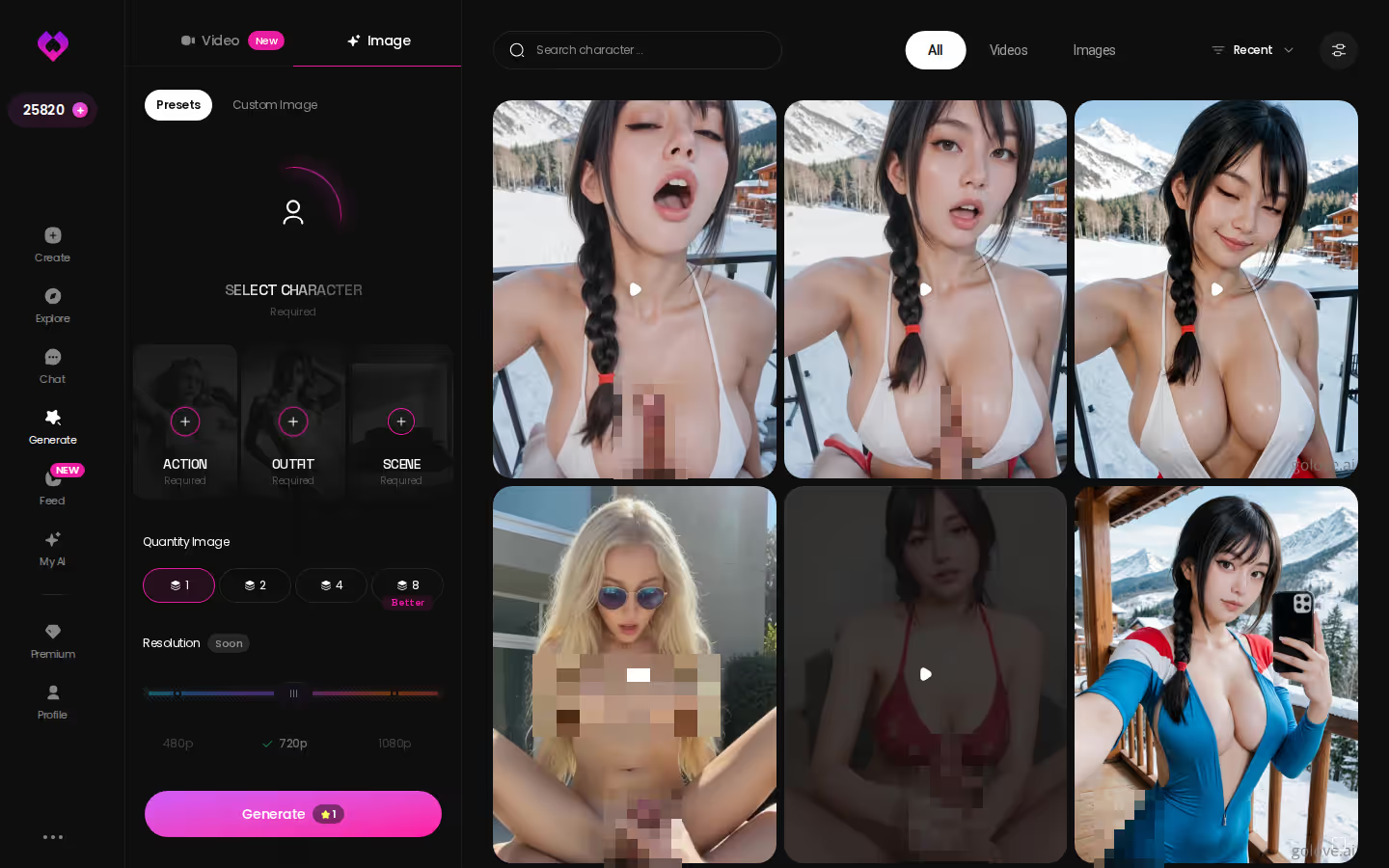
Why the two-step matters: text-to-video commits you to one roll. Here you choose the look while it's still a photo — the cheap, fast step — and only animate the one you'd keep. Custom pose, custom clothes, and custom background slots are there for when the presets don't cover it.
That's the design decision the listicles never mention. Preset cards are less "creative" than a free text box, sure. But they're surprisingly sharp at producing something consistent, and consistency is the entire thing the clip farms can't manage.
Any Character on the Roster — or One You Build Yourself
Two paths lead into that generator, and the one you pick changes how the scene feels afterward.
Characters you can open right now
Tap any of them and the chat starts there






Picking From the Roster
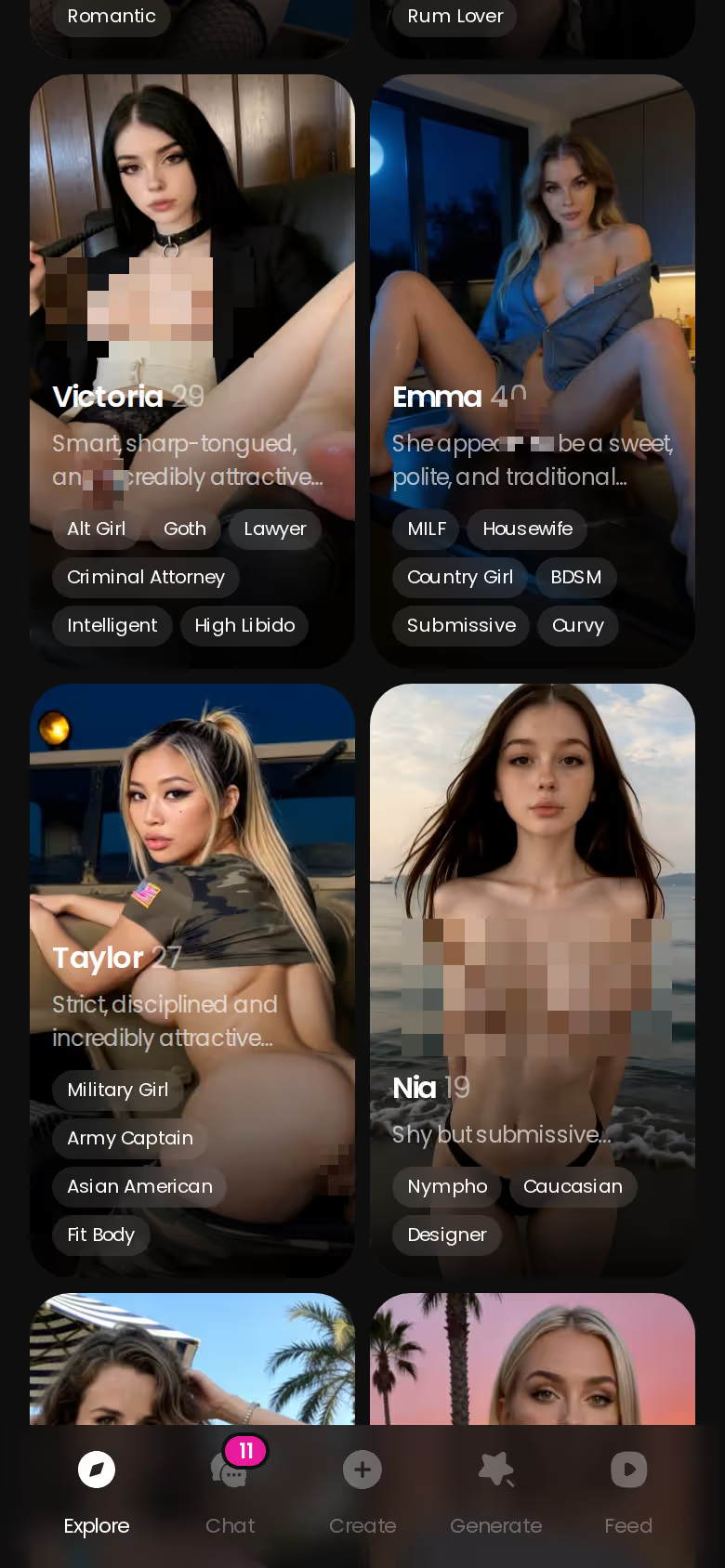
The Explore page's realistic lineup is the fast lane. Iris (@homemadeheart) opens with breakfast-in-bed energy; Anastasia Volkova (@balletasia) is the athletic one promising a private dance. Each profile carries its own content library — All, Videos, Photos tabs — and the top characters already run to hundreds of videos and thousands of photos. A Create Video button sits right on the profile, so you can go from bio to generator without touching Chat first.
Building Your Own
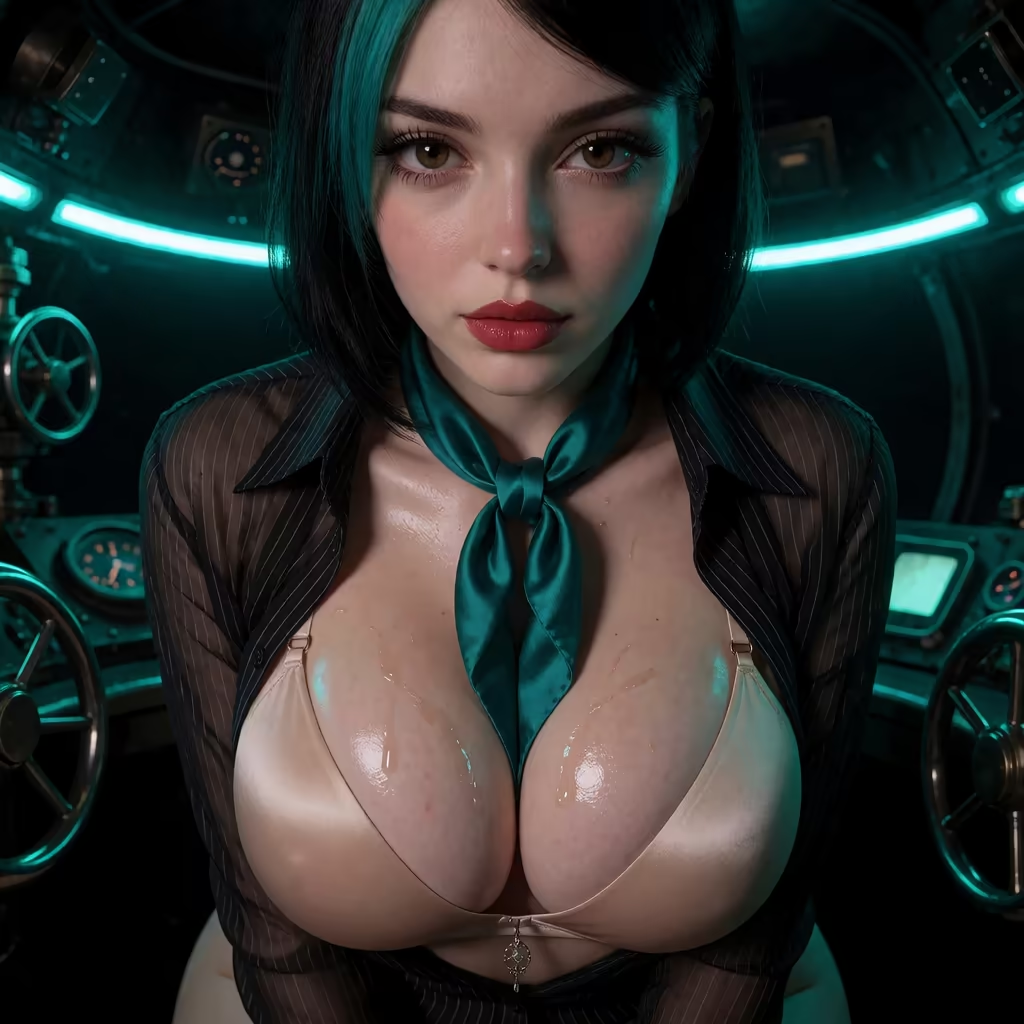
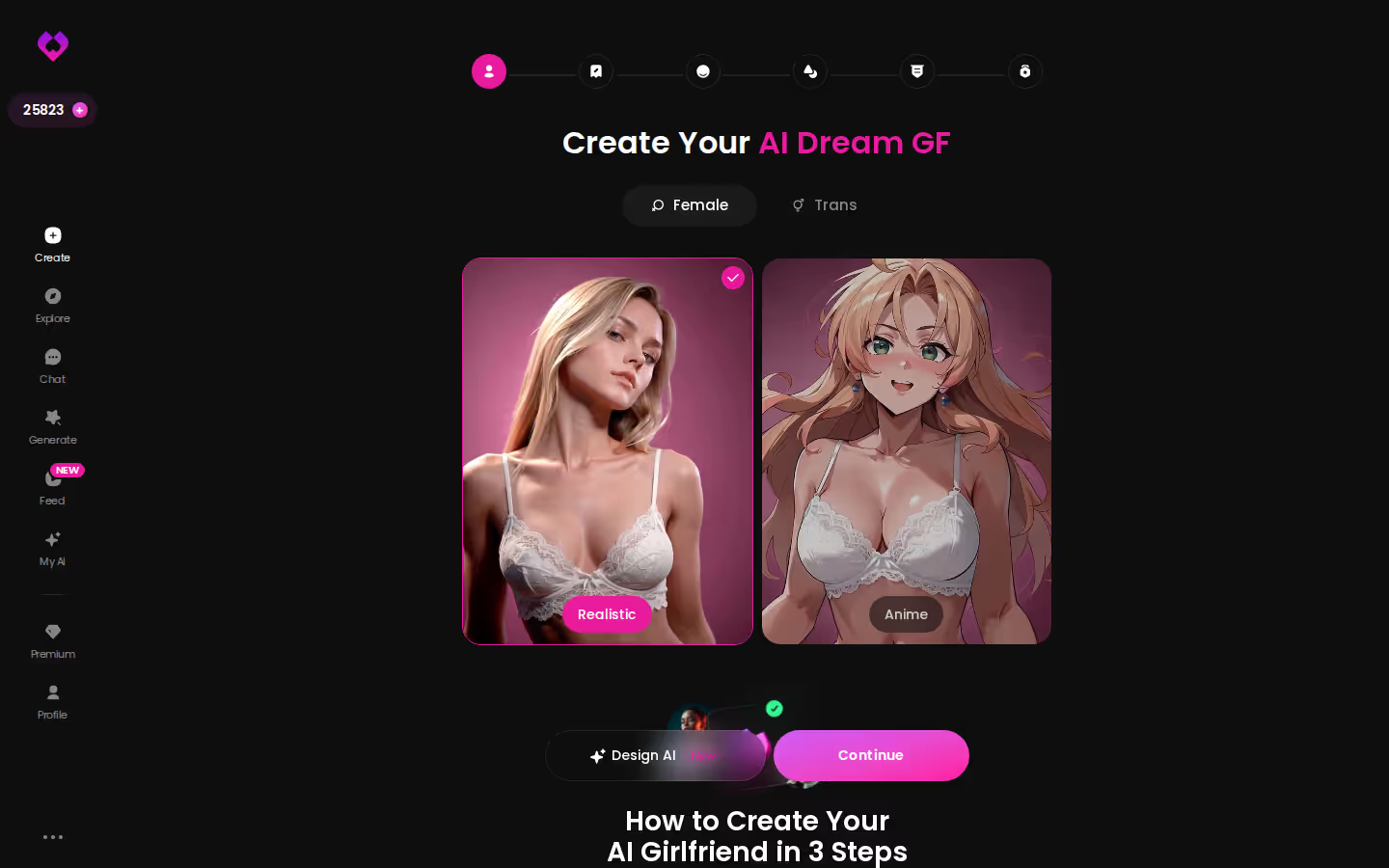
Start the /create wizard with a style choice — Realistic, Anime, Trans — and a Continue button. From there you shape her yourself, or use Design with AI: describe the concept in text and let it generate the character. Whatever comes out is a full character, not a one-off render: chat, voice, memory, gallery, and yes, the video generator.
Which path, briefly:
- Roster if you want a personality that already exists, with a library to browse tonight.
- Custom if the scene in your head has a specific woman in it and no clip site has ever matched her.
- Either works with every preset card — the generator doesn't care where she came from.
For speed, the roster is the one to beat. For the search intent that started this article, custom is.
The Feed: Scrolling Versus Directing
GoLove also has a Feed — a vertical, TikTok-style scroll of AI-generated clips, one full-screen character at a time, swipe up on mobile, arrow keys on desktop. Explore and Liked tabs. Double-tap to like, tap through to the character's profile, open a chat, or share the exact clip.
Remix is the useful trick: the magic-wand icon opens Generate preloaded with that clip's character and the exact settings that made it. Tweak one card, or swap in your own character, and regenerate. The feed runs on the same generator every account has. Free accounts get a limited number of new feed videos per day; filters (Realistic/Anime, gender, age) are PRO-only.
MEET YOUR AI COMPANION
Hundreds of characters, one that fits you.
It's a good scroll, and it's still just a scroll.
> Remixing someone else's clip gets you a clip. It doesn't get you a scene built around a character you actually talk to.
Directing is the slower path — pick her, stack the cards, generate — but the result lands in her gallery, next to your chat. That's the difference between watching and having.
GoLove.ai's Free Tier: Where the Limits Are
The limits are real, so here's where they sit — qualitatively, because the numbers move.
Getting in costs nothing: anonymous auth drops you into chat instantly, no email. Two free Stars land every 24 hours. Past that, the video generator and photo-to-video actions spend Stars, and the free daily feed quota caps out before the Unlock Unlimited paywall.
What paying looks like (checked 2026-07-19, varies by region and promo — I've seen -50% and -70% banners, and some geos price lower):
- PRO ran about $19.99/month; the annual plan about $119.88/year, roughly $9.99 a month. Unlimited feed, filters, the subscription perks.
- Star packs from roughly $9.99 up to about $179.99, for generation on a pay-as-you-go basis.
- Per-video Star cost isn't something I'll quote — it's shown at the point of generation, and that's where you should read it.
Who should skip GoLove? Anyone who wants unlimited free video generation with no meter (that doesn't exist here, and the meter is visible in the header), anyone who needs a native app-store install rather than a web app, and anyone hoping AI video will feel like a human relationship. It won't, and I'd rather say so than pretend.
What nets it positive: nothing here is hidden. The Star balance sits in the header, the paywall names itself, and the free chat tier is genuinely usable before you spend a cent.
What I'd Actually Do With That Search
So you typed "ai porn movies," wanted a film, and got a clip farm. Here's the honest reframe: the film doesn't exist yet, but the thing underneath the search — a scene starring someone you chose, that you can return to — does.
GoLove earns the pick not on the video generator alone; a few competitors render faster, and I'll give them that. It earns it on continuity. The character in the clip is the one in your chat list. She remembers the scene you built and the conversation around it, the gallery keeps every still and clip by date, and the next time you open the app she's there, not regenerated from scratch.
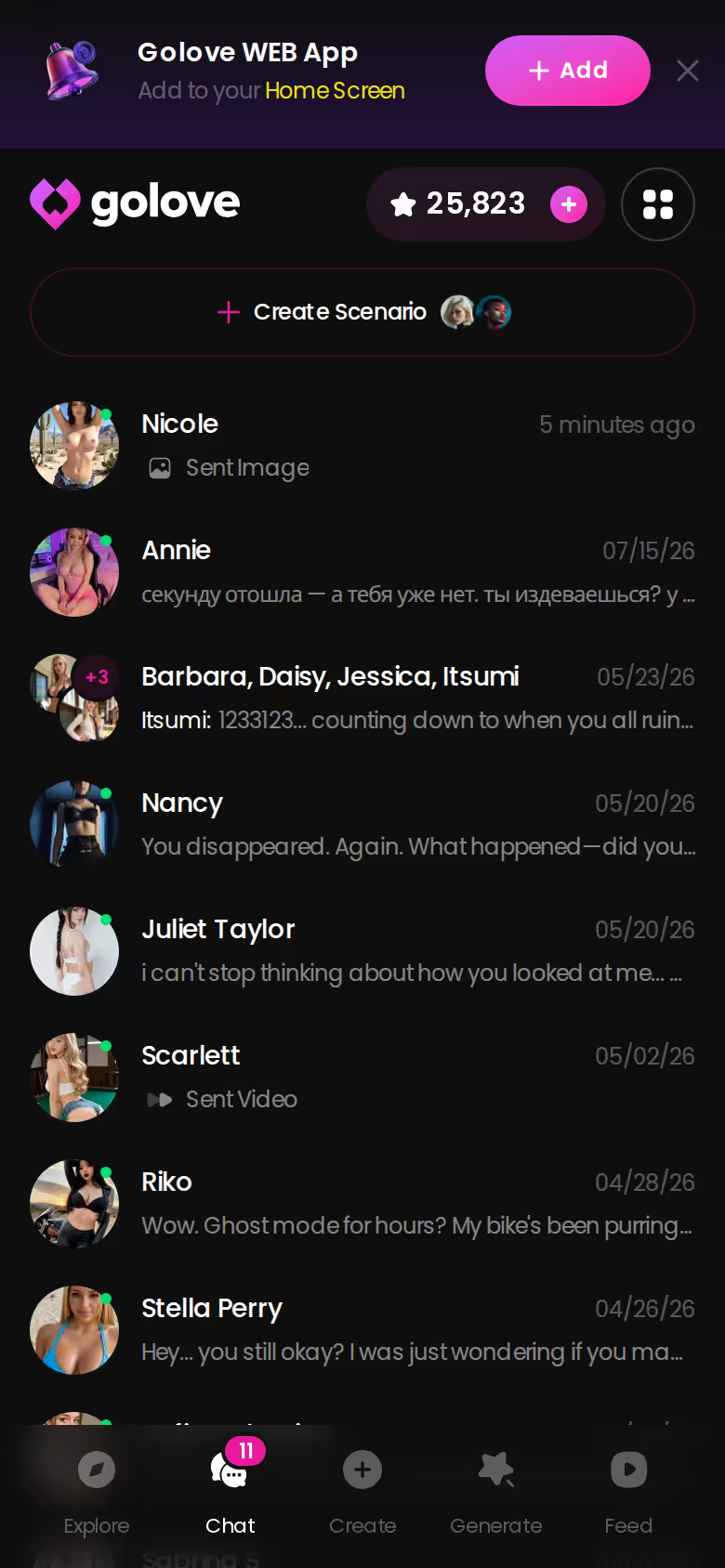
Clip sites are phoned-in because they have to be — no character, no memory, no reason to stay. GoLove built the thing the keyword was asking for.
Grade: Easy recommend.
If the woman in your head has a specific face, build her first — every preset card in the generator, and every chat afterward, belongs to her from that point on.
See also: Dream AI Porn, AI Girlfriend Chat and AI Girlfriend Image Generator.
| What you get | GoLove.ai |
|---|---|
| Real-time voice calls | Yes — per-character voices |
| Memory across chats | Yes — remembers your details |
| In-chat image generation | Yes — 35 poses & 21 outfits |
| Daily reward stars | 2 every day |
What good looks like, in one checklist:
- Real-time voice calls with per-character voices
- Memory across chats — she remembers your details
- In-chat image generation — 35 poses and 21 outfits
- 2 reward stars every day you log in
Related Articles
AI Girlfriend Meme: What Actually Works in 2026
The AI girlfriend meme jokes about goodnight texts and jealousy — GoLove.ai actually delivers memory, voice and real photos. See what's real.
Best AI Girlfriend Reddit Picks:Which App Actually Del
Best AI girlfriend Reddit threads keep naming — GoLove.ai wins on memory, voice, and real photos. See the pricing table before you pay for the wrong app.
This article contains affiliate links. We may earn a commission at no extra cost to you if you sign up through our links. See how we test.